Skip to content

Perspective

While the images and videos show the whole view of the camera in front of the car, for detecting the lane we are only interested in the part of the image where the road and, more specifically, our lane is. Therefore, we select a region of interest (ROI) in the shape of a trapezoid in the image and only process the pixels in this region. In this way, we can reduce possible noise by ignore the pixels in the sky, trees, cars, etc. and focus on the pixels that are most likely to be part of the lane.

In addition, to be able to determine the curvature of the lines, we have to transform the image to a bird's eye view. This is done by applying a perspective transformation to the image. The transformation is done by defining the source and destination points of the transformation. In the implementation we are using the OpenCV function cv2.getPerspectiveTransform() and the inverse transformation is done by using the OpenCV function cv2.warpPerspective().

region_of_interest(img_gray, kitti)

Limits the region of interest to the road / current lane.
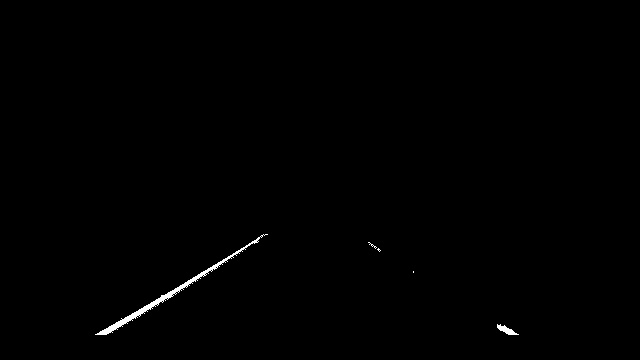
Region of Interest

Parameters:

Name Type Description Default
img_gray cv.Mat

Gray input image

required
kitti bool

Input which indicates if image is kitty or not

required

Returns:

Type Description
tuple[cv.Mat, cv.Mat]

Image where mask pixels are nonzero, The vertices of the region of interest.

Source code in src/pipeline/perspective.py
24
25
26
27
28
29
30
31
32
33
34
35
36
37
38
39
40
41
42
43
44
45
46
47
48
49
50
51
52
53
54
55
56
57
58
59
60
61
62
63
64
65
66
67
68
69
70
71
72
73
74
def region_of_interest(img_gray: cv.Mat, kitti: bool) -> tuple[cv.Mat, cv.Mat]:
    """Limits the region of interest to the road / current lane.

    ![Region of Interest](../images/region.jpg)

    Parameters
    ----------
    img_gray : cv.Mat
        Gray input image
    kitti : bool
        Input which indicates if image is kitty or not

    Returns
    -------
    tuple[cv.Mat, cv.Mat]
        Image where mask pixels are nonzero, The vertices of the region of interest.
    """
    h, w = img_gray.shape[:2]

    # Find region of interest
    if kitti:
        vertices = np.array(
            [
                (w * 0.72, h * 0.54),  # Top-right corner
                (w, h),  # Bottom-right corner
                (0, h),  # Bottom-left corner
                (w * 0.38, h * 0.54),  # Top-left corner
            ],
            dtype=np.float32,
        )
    else:
        vertices = np.array(
            [
                (w * 0.6, h * 0.65),  # Top-right corner
                (w * 0.9, h * 0.93),  # Bottom-right corner
                (w * 0.1, h * 0.93),  # Bottom-left corner
                (w * 0.4, h * 0.65),  # Top-left corner
            ],
            np.float32,
        )

    # defining a blank mask to start with
    mask = np.zeros_like(img_gray)

    # filling pixels inside the polygon defined by "vertices" with the fill color
    cv.fillPoly(mask, np.array([vertices], np.int32), [255])

    # returning the image only where mask pixels are nonzero
    masked_image = cv.bitwise_and(img_gray, mask)

    return masked_image, vertices

transform_perspective(img_gray, vertices)

Transforms the region of interest into a bird's eye view.

Bird's Eye View

Parameters:

Name Type Description Default
img_gray cv.Mat

The region of interest as a grayscale image.

required
vertices cv.Mat

The vertices of the region of interest.

required

Returns:

Type Description
tuple[cv.Mat, cv.Mat]

The transformed image and the inverse transformation matrix.

Source code in src/pipeline/perspective.py
 77
 78
 79
 80
 81
 82
 83
 84
 85
 86
 87
 88
 89
 90
 91
 92
 93
 94
 95
 96
 97
 98
 99
100
101
102
103
104
105
106
107
108
109
110
111
112
def transform_perspective(img_gray: cv.Mat, vertices: cv.Mat) -> tuple[cv.Mat, cv.Mat]:
    """Transforms the region of interest into a bird's eye view.

    ![Bird's Eye View](../images/birdeye.jpg)

    Parameters
    ----------
    img_gray : cv.Mat
        The region of interest as a grayscale image.
    vertices : cv.Mat
        The vertices of the region of interest.

    Returns
    -------
    tuple[cv.Mat, cv.Mat]
        The transformed image and the inverse transformation matrix.
    """
    h, w = img_gray.shape[:2]
    offset = w * 0.235

    dst = np.array(
        [
            [w - offset, 0],  # Top-right corner
            [w - offset, h],  # Bottom-right corner
            [offset, h],  # Bottom-left corner
            [offset, 0],  # Top-left corner
        ],
        dtype=np.float32,
    )

    M = cv.getPerspectiveTransform(vertices, dst)
    Minv = cv.getPerspectiveTransform(dst, vertices)

    transformed_img = cv.warpPerspective(img_gray, M, (w, h), flags=cv.INTER_LINEAR)

    return transformed_img, Minv

undist_img(img, ca_param)

Undistorts the image with the given calibration parameters.

Parameters:

Name Type Description Default
img cv.Mat

The image to be undistorted.

required
ca_param tuple[cv.Mat, cv.Mat]

The calibration parameters.

required

Returns:

Type Description
cv.Mat

The undistorted image.

Source code in src/pipeline/perspective.py
 5
 6
 7
 8
 9
10
11
12
13
14
15
16
17
18
19
20
21
def undist_img(img: cv.Mat, ca_param: tuple[cv.Mat, cv.Mat]) -> cv.Mat:
    """Undistorts the image with the given calibration parameters.

    Parameters
    ----------
    img : cv.Mat
        The image to be undistorted.
    ca_param : tuple[cv.Mat, cv.Mat]
        The calibration parameters.

    Returns
    -------
    cv.Mat
        The undistorted image.
    """
    img_dst = cv.undistort(img, ca_param[0], ca_param[1])
    return img_dst